New Post
New Post
BatChat Circles is a public space where you can share your life, express opinions, and show yourself. You can publish text-and-image or video moments, and flexibly set visibility, comment permissions, and more to build your own social circle.
Posting Process
- Go to "Discover" - "BatChat Circles", then tap the "+" button at the bottom;
- Enter moment content (text), add images or videos, and optionally add location information;
- Tap "Post" to submit. Each moment costs 300 points. If the moment is rejected during review due to violations or other reasons, the points will be fully refunded.
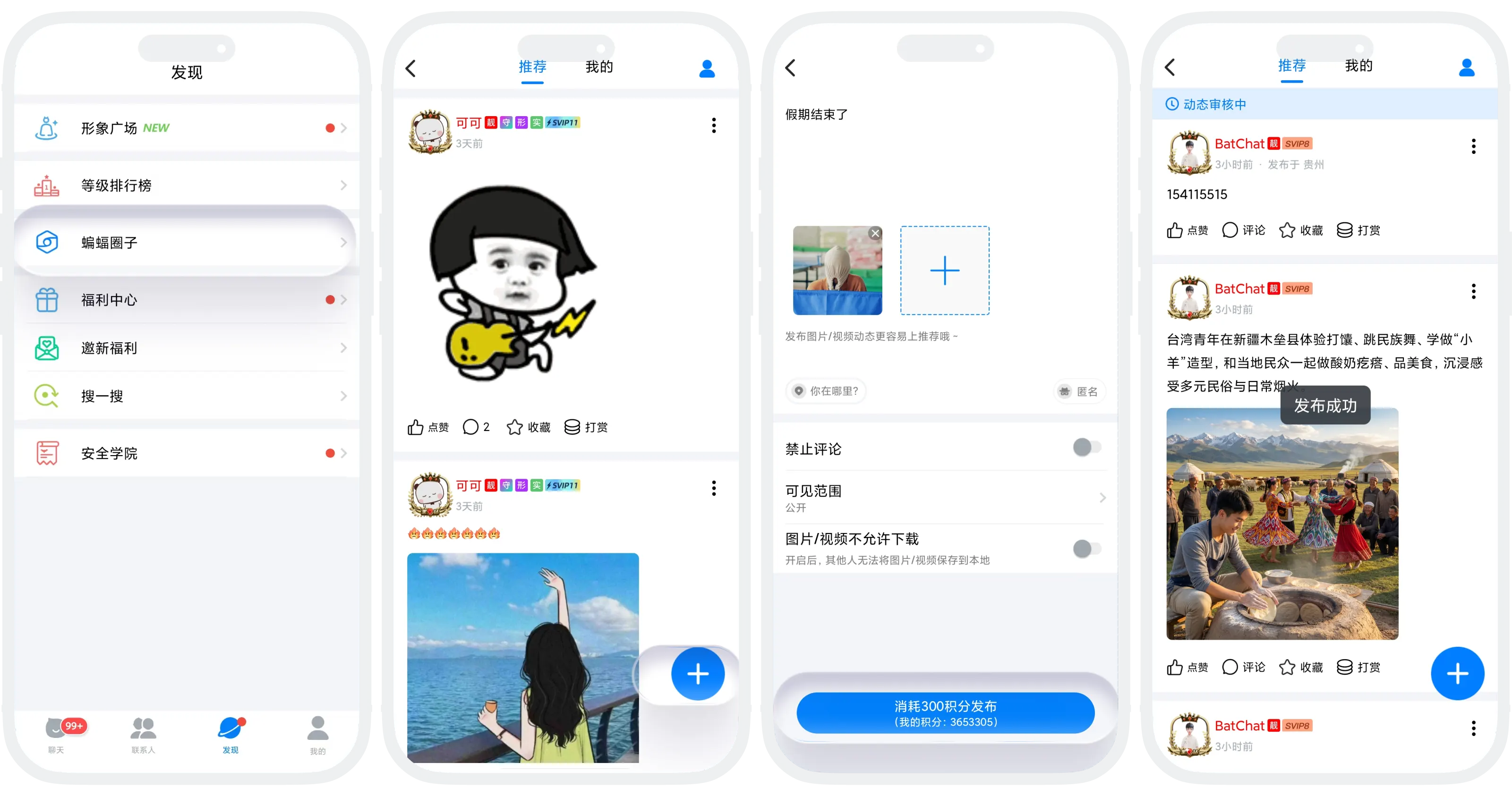
More Post Settings
Before publishing, you can configure the following settings:
| Setting | Description |
|---|---|
| Disable Comments | After enabling, others cannot comment under your moment |
| Visibility | Options include Public, Visible to Selected People, and Hide from Selected People |
| Do Not Allow Image/Video Download | After enabling, others cannot long-press to save images or videos in the moment |
| Anonymous Post | After enabling, the moment is shown anonymously and others cannot see the publisher's identity |

Review Process
After a moment is published, it must go through manual review:
- Approved: The moment will be publicly displayed;
- Rejected: Points are automatically refunded, and the moment will not be shown publicly.

Reminder: Do not post violating content to avoid rejection. Serious violations may lead to account suspension.
FAQ
Points are deducted immediately when you tap "Post". If the review rejects the moment, the points will be automatically refunded to your account.
You can delete it. Go to your personal Circle profile, tap the more button in the upper-right corner of the moment, and choose Delete.
No. Published moments cannot be edited or have their visibility changed.