My Circle
My Circle
"My Circle Profile" is your personal space in BatChat Circles, centrally displaying all moments you have published. You can manage moments, view interaction messages, receive system notifications, and stay fully aware of your Circle activity.
Moment Management
View All Moments
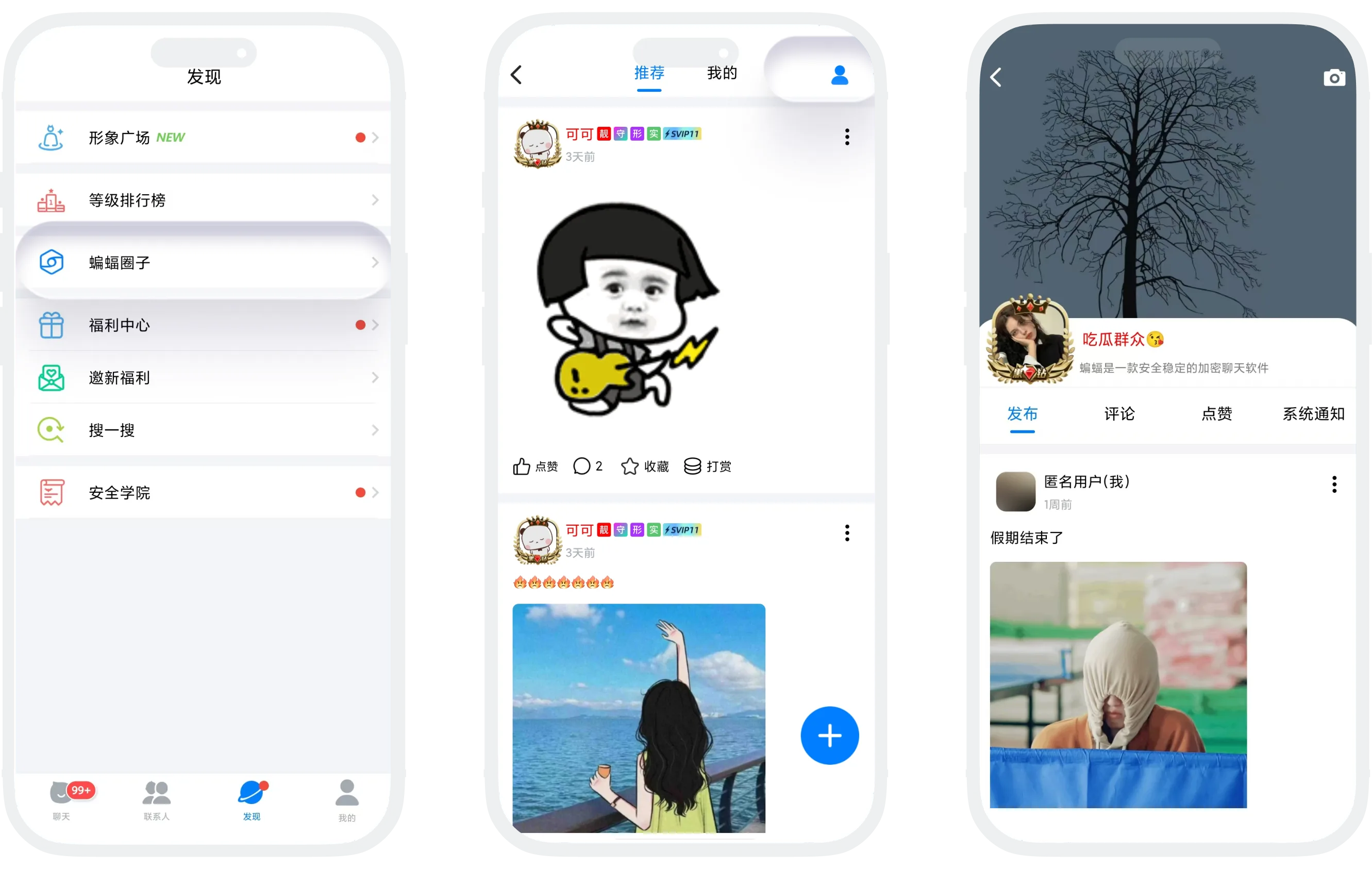
- Entry: Go to "Discover" - "BatChat Circles", then tap "My" in the upper-right corner to enter your Circle profile;
- This page displays all Circle moments you have published in reverse chronological order (newest first).
Pin Moments
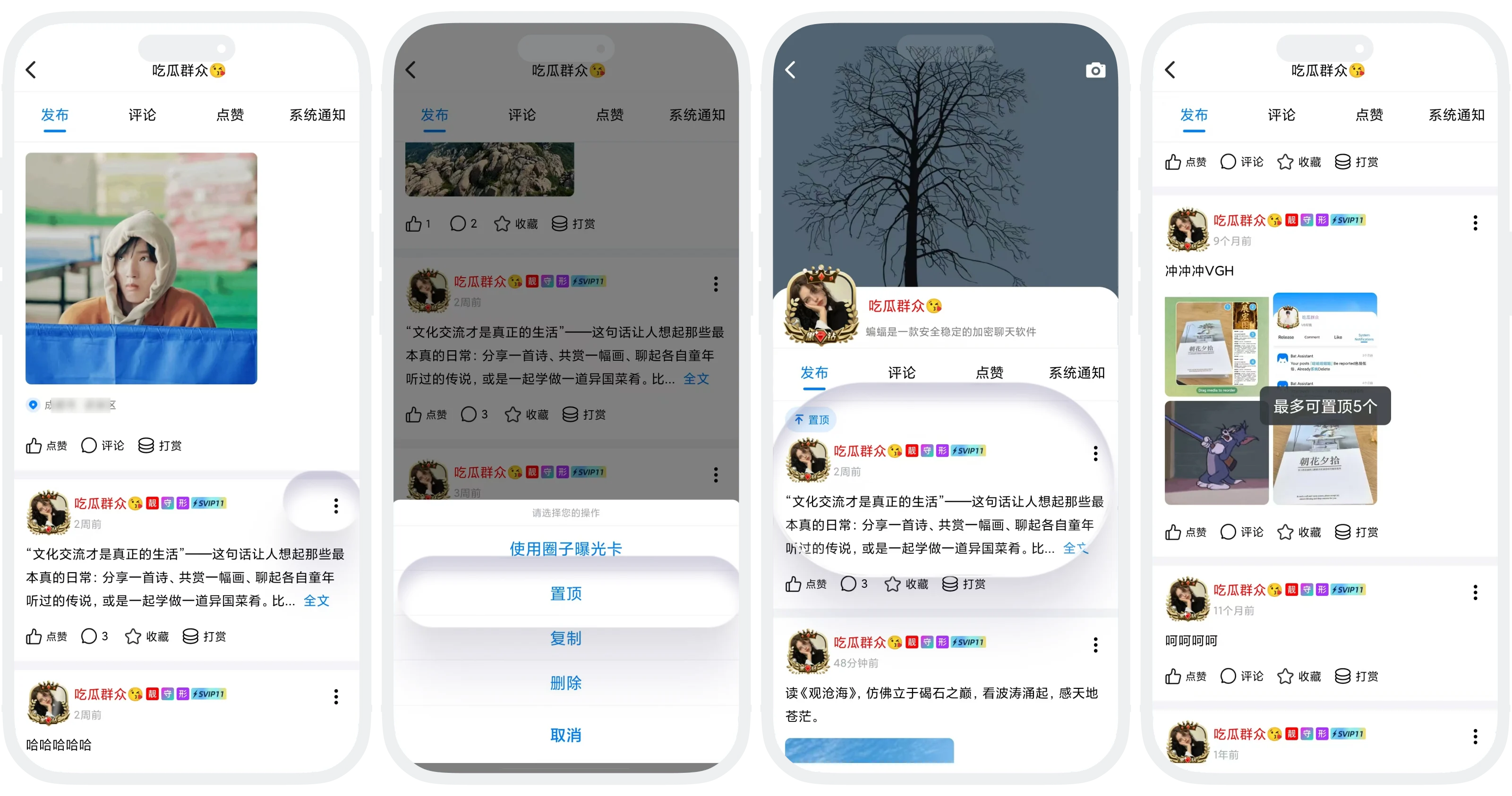
- You can pin high-quality moments to the top of your profile. Up to 5 moments can be pinned;
- How to use: Tap "More" in the upper-right corner of the moment you want to pin, then select "Pin". Pinned moments can be unpinned at any time.
Interaction Messages
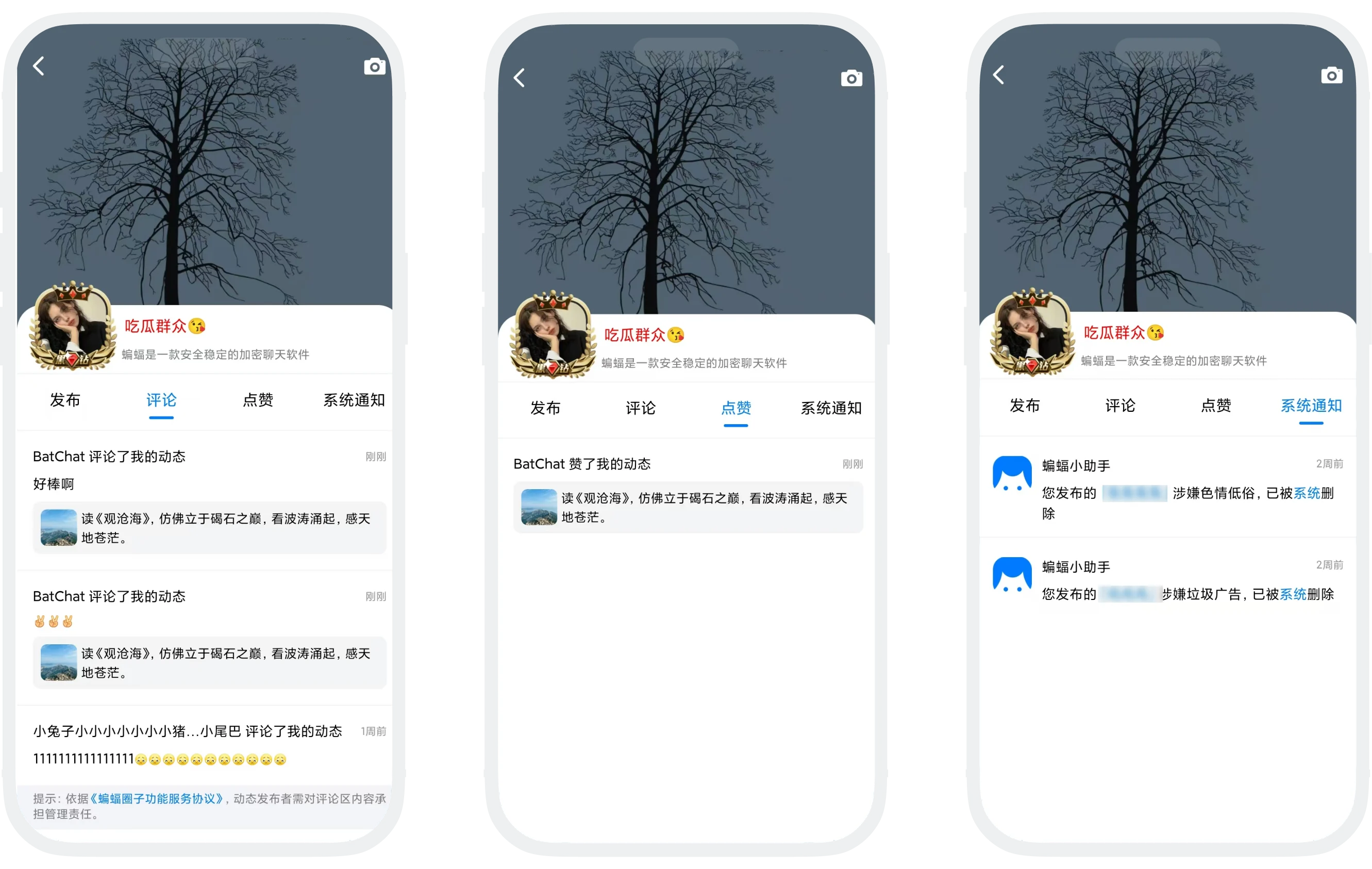
On your personal Circle profile, you can also view:
- Likes: Who liked your moments;
- Comments: Who commented on your moments. You can also handle comments pending display here. For details, see Interaction Management;
- System notifications: Notifications when moments are rejected during review.
Circle Profile Access and Privacy
- Other people can find the Circle entry on your profile and tap it to visit your Circle profile;
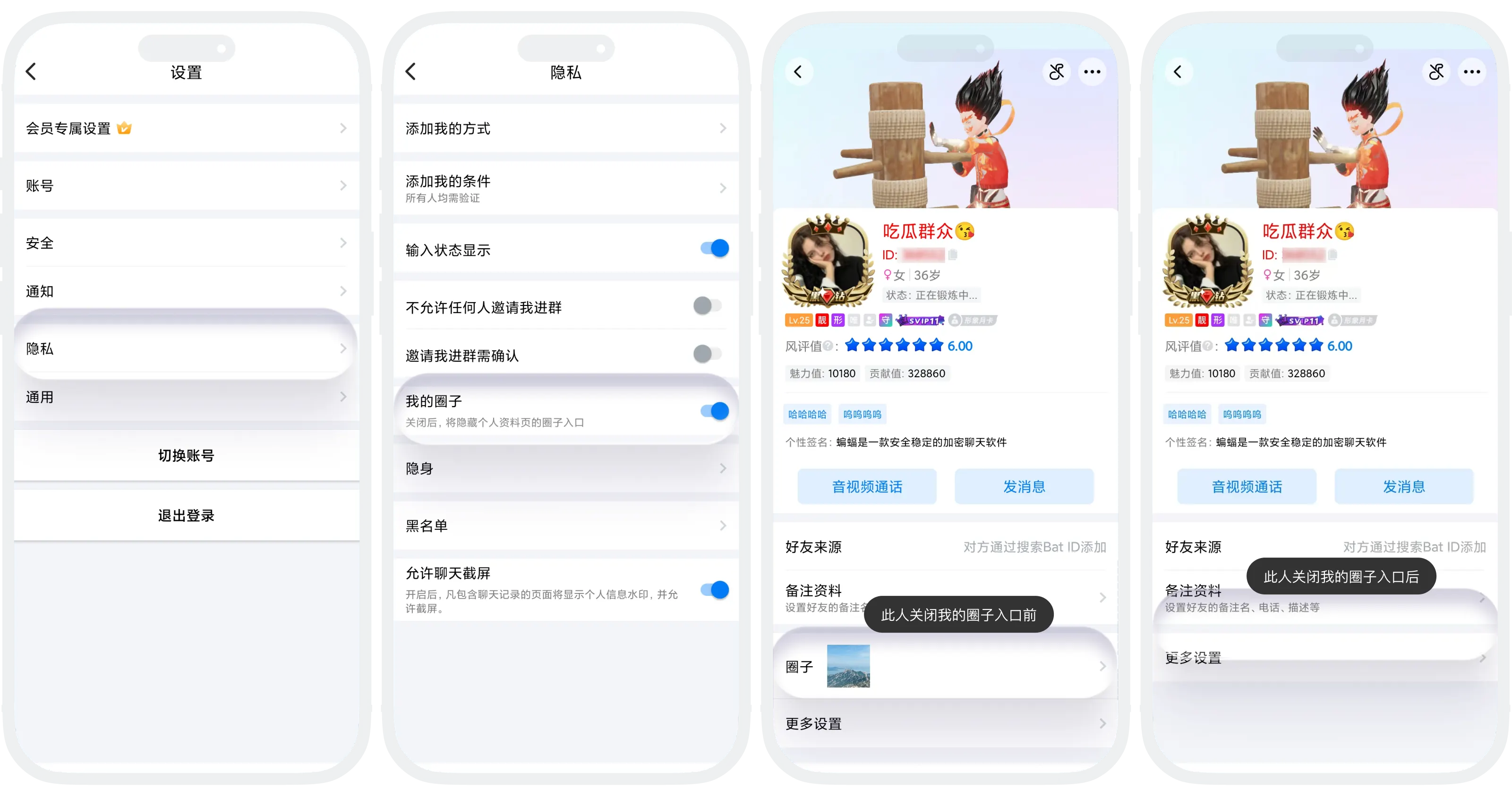
- If you do not want others to access your Circle profile:
- Go to "My" - "Settings" - "Privacy";
- Find "My Circle" and turn off the switch. Your profile will no longer show the Circle entry.

After turning it off, you can still publish moments and view your own Circle profile normally. Others simply cannot enter it from your profile.
FAQ
Yes. Open the pinned moment details page, tap "More" in the upper-right corner, then select "Unpin".
Yes. Pinned moments are visible to all users who visit your Circle profile and are displayed at the top of the list.
View them from "System Notifications" on your Circle profile.
After it is closed, others cannot access your Circle profile in any way, while you can still access it normally. However, moments you publish can still be displayed normally in the Recommended list.